Is Wix Good for Small Business Websites in 2026?

An jargon-free guide from a Wix Legend Partner with 15+ years of experience
If you've typed "Is Wix good for small businesses?" into Google at some point in the last few months, you're in very good company. It's one of the most common questions I get — and it's a brilliant question to ask before you commit.
The short answer? Yes — for most small business owners, Wix is an excellent choice.
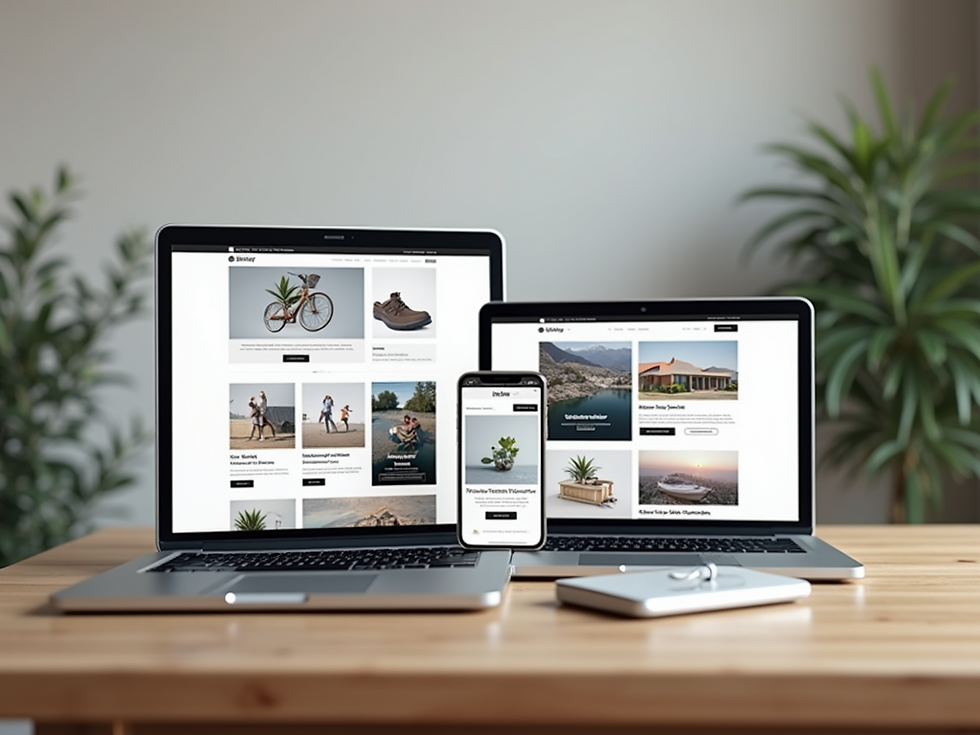
But as with anything in business, the full picture is a little more nuanced than that. And you deserve a straight, honest take — not a marketing pitch — before you make your decision.
I'm Nancy, and I've been designing Wix websites for women in business for over 15 years. I'm a Wix Legend Partner (their highest tier of recognition) and I've built, refreshed, and fixed a lot of websites on this platform. So I'd like to think I know where it shines — and where it doesn't.
In this article, I'll walk you through exactly what Wix is, what it's genuinely brilliant at, where its limitations lie, and how to know if it's the right platform for you. Let's get into it.
In this article:
What Wix actually is (and what it isn't)
Why Wix works so well for small businesses
The honest limitations you should know about
Who Wix is — and isn't — right for
How to get the most from Wix as a small business owner
Your next step
What Is Wix, Exactly?
Wix is a cloud-based website builder that lets you design and manage a professional website without needing to know any code.
Wix is what's known as a drag-and-drop website builder — which means you can create and edit your site visually, moving elements around the page without needing to touch a single line of code. Everything lives online (no software to install), and Wix takes care of hosting, security, and updates on your behalf.
It launched back in 2006, and it's come a long, long way since then. Today it powers over 250 million websites worldwide, and in 2025 it was recognised as one of the most powerful website platforms on the market — not just for beginners, but for serious businesses too.
Unlike WordPress (which is powerful but can be technically demanding) or Squarespace (looks sleek but can be more rigid), Wix hits a sweet spot: it's flexible enough to build something genuinely impressive, but accessible enough that you don't need a degree in web development to use it!
Why Wix Works So Well for Small Businesses
Wix combines professional design flexibility with ease of use, built-in SEO tools, and affordable pricing — making it ideal for solo and small business owners.
Here's where I get to tell you the genuinely good stuff. Because there really is quite a lot of it.
1. You don't need to be techy
This is probably the biggest one. Wix was built to be used by real people — not developers. The editor is intuitive, the help documentation is solid, and there's a huge library of templates to get you started. If you can use a basic word processor, you can find your way around Wix.
That said — and I say this with great affection — "can navigate Wix" and "can build a great website on Wix" aren't quite the same thing. More on that in a moment.
2. It looks the part
Wix templates are genuinely beautiful for DIY-ers. They're modern, mobile-device friendly, and varied enough that you can find something that fits your brand — whether you're a therapist, a creative, a consultant, or a maker. And unlike some platforms, what you see really is what you get. No nasty surprises when it goes live.
3. It's all in one place
Wix isn't just a website builder. It's a whole eco-system and includes built-in tools for:
Booking systems (brilliant for coaches, therapists, and service providers)
Online shops and payments
Blogs and content marketing
Email marketing via Wix Ascend
Forms, chatbots, and client management
SEO tools that are genuinely useful
For a small business owner wearing multiple hats, having all of this in one place — rather than cobbling together five different tools — is a proper relief.
4. SEO has come on enormously
Many years ago, Wix's reputation for SEO was... let's say, a bit unkind. That reputation is now well out of date. Wix has invested heavily in its SEO capabilities, and the platform now offers solid technical foundations, customisable meta data, structured data support, fast loading times, and a helpful SEO setup assistant and much more.
5. You can maintain it yourself
One of the things I hear most often from clients is the fear of being locked out of their own website — of having to go back to a developer every time they want to change a photo or add a blog post. With Wix, that doesn't have to be the case. Once your site is built, you can update content, add new pages, and make changes yourself, without any technical knowledge. That independence matters.
6. The pricing is transparent and fair
Wix offers a range of paid hosting plans to suit different budgets and needs, and they are clear when additional costs are charged (for example - Wix Events and Wix Plans attract % of transaction costs).
The Limitations of Wix
Wix isn't infinitely flexible — once your design is set, switching templates is tricky.
I wouldn't be doing my job if I only told you the good stuff. Here's where Wix has its limits — and why they matter.
Templates aren't interchangeable. Once you've built your site on a template, switching to a completely different one means starting from scratch. It's not impossible, but it's not a five-minute job either. So, if you are DIY-ing, it pays to choose your template thoughtfully from the start.
Possible functionaility limitions. If you're running a large e-commerce shop with thousands of products, or you need extremely bespoke functionality, Wix may eventually feel limiting. For most small service-based businesses, this is not a concern — but it's worth knowing. However, they have introduced a range of options to create bespoke functionality and Velo coding enables even the most complex of requirements - so this isn't really an issue these days.
You're tied to Wix's infrastructure. Unlike self-hosted WordPress, your Wix site lives on Wix's servers. You can't move it to a different host. For most small business owners, this is a non-issue (the infrastructure is excellent and all the tech stuff is done for you, no updates required), but it's worth understanding what you're signing up for. However, the benefits of not having to worry about constant updates is worth the flexibility trade-off.
DIY results vary — a lot. This is the big one. Wix gives you the tools, but it doesn't give you the design eye, the strategic thinking, or the copywriting skills to pull it together into something that genuinely works. A Wix site built by an experienced designer looks and performs very differently from a self-built one. That gap matters when your website is how clients decide whether to trust you with their money.
Who Is Wix Right For?
Wix can and does work for anyone and everyone and I have built all sorts of sites including ecommerce, membership sites and much more!
Based on my experience working with hundreds of clients, Wix is an excellent fit if you:
Want a professional website without managing servers or code
Value being able to update your own content after launch
Are working within a sensible small business budget
Want a platform that can grow with you as your business develops
How to Get the Most Out of Wix as a Small Business Owner
Invest in clear messaging and professional design from the start — a well-built Wix site outperforms a self-built one significantly in both look and results.
Here's what I've seen make the difference between a Wix site that ticks a box and one that genuinely works for a business:
Get your messaging and planning sorted before you touch the editor. What do you do, who do you help, and what should they do next? If those answers are clear, the project into place. If they're not, no platform will save you!
If you are DIY-ing choose a template that suits your content, not just your taste. A beautiful template that doesn't fit the structure of your services can create more problems than it solves. Think about how many pages you need and how you want visitors to move through them.
Don't skip the SEO basics. Wix makes it easy to add page titles, meta descriptions, and alt text — please actually do it! These small steps make a real difference to how searchable your site is.
Make your contact and booking options obvious. You'd be amazed how many beautiful Wix sites bury the "book a call" button. Every page should have a clear next step.
Consider getting professional help. I know I would say that — but genuinely, I've seen clients save enormous amounts of time and frustration by bringing in support, rather than spending months wrestling with a DIY build that still doesn't look quite right.
Frequently Asked Questions
Is Wix free to use for a small business?
Wix does offer a free plan, but it includes Wix branding on your site and doesn't allow you to connect a custom domain name. For a professional business website, you'll want one of the paid plans, which start at a very reasonable monthly/annual cost.
Is Wix good for SEO in 2026?
Yes — Wix has improved its SEO capabilities significantly over the last few years and is comparable to all the other major platforms. It now offers many excellent features, solid technical foundations, customisable metadata, and fast load speeds that Google rewards.
Can I build a Wix website myself, or do I need a designer?
You absolutely can build a Wix site yourself — and some people do it brilliantly. But a professionally designed Wix site tends to look and perform very differently from a self-built one. If you want something that genuinely reflects the quality of your work and actively brings in clients, working with an experienced Wix designer is worth considering.
How long does it take to build a Wix website?
That really depends on whether you're DIYing or working with a designer, and how prepared you are with your content. A professional build typically takes 1–4 weeks from start to finish. DIY can take considerably longer if you're learning as you go.
So, Is Wix Good for Small Business Websites?
Yes — and I say that as someone who has spent 15 years working on this platform every single day and I love it. I chose this path because Wix is a genuinely powerful, flexible, and professional tool that works brilliantly for everyone when it's used well.
It's not perfect for every situation, and a template alone won't do the hard work for you. But with the right design, the right messaging, and the right setup, a Wix website can be the thing that transforms how your business looks — and how it grows.
If you're ready to explore what a properly built Wix website could do for your business, I'd love to have a chat. No jargon, no pressure — just an honest conversation about what would work for you.
About The Author
Nancy Detchon is the founder of Peak Net Web Design and a business professional with 30+ Years Experience - Wix Web Design - 5* Wix Legend Partner - Female Business Owner - Micro Business Champion.
Based in the Peak District, Nancy specialises in turning complicated website problems and chaos into calm, clear solutions — with a particular passion for helping female founders build an online presence they're proud of.
When she's not designing websites, she's reading crime fiction, planning holidays and festival trips, making sure she drinks enough water and doing battle with her garden.


